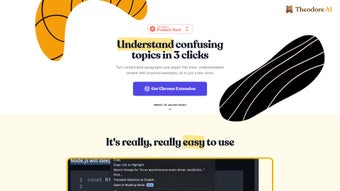

Download Theodore AI – AI‑Powered Text Simplifier for Students, Researchers & Professionals
Overview
Theodore AI is a cutting‑edge web‑based application that harnesses artificial intelligence to turn dense, technical, or academic language into clear, easy‑to‑read prose. Whether you’re wrestling with a research paper, a legal contract, a software manual, or any other complex document, Theodore AI promises to demystify the content in just three clicks. The platform not only rewrites paragraphs in plain language but also enriches them with practical examples, making abstract concepts tangible.
Its unlimited simplification engine ensures that users can process as many pages as needed without hitting a paywall or a usage cap. Moreover, a built‑in history tracking function stores every transformation, allowing you to revisit, compare, and export previous versions at any time. Delivered as a Chrome extension, Theodore AI integrates directly into your browsing experience, so you can simplify text on any website without leaving the page.
This seamless workflow is a game‑changer for students who need to study faster, researchers seeking to digest large literature reviews, and professionals who must convey technical information to non‑technical stakeholders. In short, Theodore AI combines the power of AI with a user‑centric design to make complex information accessible, secure, and instantly actionable.
Core Features & How It Works
- Three‑Click Simplification: Select text, click the Theodore AI button, and receive a plain‑language version with examples within seconds.
- Unlimited Usage: No daily limits or hidden quotas—process as many documents as you need, completely free.
- History Tracker: Every simplification is saved automatically, enabling easy retrieval, side‑by‑side comparison, and export to PDF or Word.
- Contextual Examples: The AI not only rewrites but also adds real‑world analogies that reinforce understanding.
- Chrome Extension Integration: Install once, and Theodore AI appears in your toolbar, ready to simplify any web page instantly.
- Secure & Private: All processing occurs over encrypted HTTPS connections, and no personal data is stored on external servers.
- Continuous Updates: The development team releases regular model improvements, ensuring the latest language understanding and accuracy.
Why These Features Matter
The three‑click workflow eliminates the friction often associated with traditional summarization tools that require copy‑pasting into separate windows. By embedding directly into Chrome, Theodore AI respects the user’s natural browsing habits, turning any web‑based reading session into an interactive learning experience. Unlimited usage is especially valuable for academic environments where students may need to simplify dozens of articles for a single term paper.
The history tracker functions like a personal knowledge base, letting users build a repository of simplified content that can be referenced later or shared with teammates. Contextual examples bridge the gap between abstract theory and practical application—a critical element for subjects like physics, economics, or programming where conceptual clarity drives mastery. Security and privacy are paramount; Theodore AI’s strict data policies reassure users that their intellectual property remains confidential, a common concern for corporate professionals handling proprietary documents.
Finally, the commitment to continuous AI updates means the tool stays ahead of language trends, slang, and emerging technical terminology, ensuring relevance across disciplines and industries.
Installation, Usage & Compatibility
Step‑by‑Step Installation Guide
Getting started with Theodore AI is straightforward and takes less than five minutes. First, open the Chrome Web Store and search for “Theodore AI – Text Simplifier.” Click the Add to Chrome button, confirm the permissions request, and the extension will appear in your browser toolbar. For users on other platforms, a web‑based version is also available at theodoreai.com, which works on any modern browser, including Edge, Firefox, and Safari. Once installed, you’ll notice a small Theodore AI icon next to the address bar. Clicking the icon opens a pop‑up where you can adjust settings such as language preference, output tone (formal vs. casual), and whether to include examples.
How to Use the Tool Effectively
To simplify a paragraph, simply highlight the text on a webpage, right‑click, and select “Simplify with Theodore AI.” The extension processes the selection in the cloud and returns a rewritten version in a side panel. You can copy the result, export it, or replace the original text directly on the page (useful for collaborative editing). The history panel, accessible via the toolbar icon, logs every transformation with timestamps, allowing you to revert to earlier versions or batch‑download a collection of simplified excerpts. For power users, the web version offers a bulk upload feature where you can drop entire PDFs or Word documents; the AI will parse each section and generate a simplified version, preserving headings and formatting.
Compatibility
Although Theodore AI’s primary distribution channel is a Chrome extension, the underlying service is platform‑agnostic. It runs on any operating system that supports a modern web browser, including Windows 10/11, macOS Ventura and later, Linux distributions, as well as mobile browsers on Android 8+ and iOS 13+. The web portal is fully responsive, ensuring a seamless experience on tablets and smartphones. For enterprises, an API endpoint is available (upon request) to integrate Theodore AI’s simplification engine directly into internal tools, document management systems, or learning platforms, extending its utility beyond the desktop environment.
Pros & Cons
Advantages
- Instant, three‑click simplification saves time.
- Unlimited free usage removes barriers for heavy users.
- History tracking creates a personal knowledge repository.
- Contextual examples enhance comprehension.
- Secure HTTPS processing protects sensitive content.
- Cross‑platform compatibility (Windows, macOS, Linux, Android, iOS).
- Regular AI model updates keep the tool current.
Drawbacks
- Currently limited to Chrome; no native desktop app yet.
- Large PDF bulk processing may experience slight latency.
- Advanced customization (e.g., tone, jargon level) is in beta.
Overall Rating: 4.5/5 – Theodore AI delivers a powerful, user‑friendly solution for simplifying complex text, with only minor platform limitations.
Frequently Asked Questions
Is Theodore AI free to use?
Yes, Theodore AI offers unlimited free simplifications for both the Chrome extension and the web version. A premium tier is planned for future advanced features, but the core functionality remains free.
Can I use Theodore AI on mobile devices?
Absolutely. The web portal is fully responsive and works on Android and iOS browsers. While a dedicated mobile app is not yet released, the browser experience mirrors the desktop functionality.
How does Theodore AI protect my data?
All text is transmitted over encrypted HTTPS connections, and no user data is stored on external servers after processing. The history feature saves results locally in your browser’s storage, giving you full control.
Can Theodore AI handle large documents like PDFs?
Yes. The web version includes a bulk upload tool that accepts PDFs, Word files, and plain text. The AI parses each section and provides simplified output while preserving original headings and formatting.
Is there an API for developers?
An API endpoint is available on request for enterprises and developers who wish to embed the simplification engine into custom workflows, LMS platforms, or internal tools.
Conclusion & Call to Action
Theodore AI stands out as a powerful, free, and secure tool that turns dense, technical language into digestible content with minimal effort. Its seamless Chrome integration, unlimited usage, and robust history tracking make it a must‑have for anyone who regularly confronts complex material. Whether you’re a student striving for better grades, a researcher digging through literature, or a professional preparing client‑friendly reports, Theodore AI accelerates comprehension and boosts productivity.
Ready to experience clearer reading today? Download the Theodore AI Chrome extension now, or visit theodoreai.com for the web version. Transform the way you read, learn, and communicate—one simplified paragraph at a time.



.png)



